

Authorized Dealer for Canon | HP DesignJet | Konica Minolta
ATP Sales & Services (KL) Sdn. Bhd. offers comprehensive printing requirements for businesses across Malaysia. We provide a wide range of HP DesignJet and Canon imagePROGRAF large format printers and printers rental, as well as Konica Minolta bizhub multifunction copiers.



40
Years of experience
7
Branches in Malaysia & Singapore
Testimonials

BEST SELLER
Canon imageRUNNER ADVANCE DX C3900i Series
Vivid and Vibrant colour output with excellent productivity.
The Canon imageRUNNER ADVANCE DX C3900i series printer delivers a quality colour output and high productivity while keeping power consumption low. The series offers cloud connectivity to various storage, making it a valuable addition to the modern-day working environment.
- Machine Type: A3 Colour Laser Multifunctional
- Core Function: Print, Copy, Scan, Send, Store and Optional Fax
- Processor: Canon Dual Custom Processor (Shared)
- Control Panel: 10.1″ TFT LCD WSVGA Colour Touch Panel
RECOMMENDED
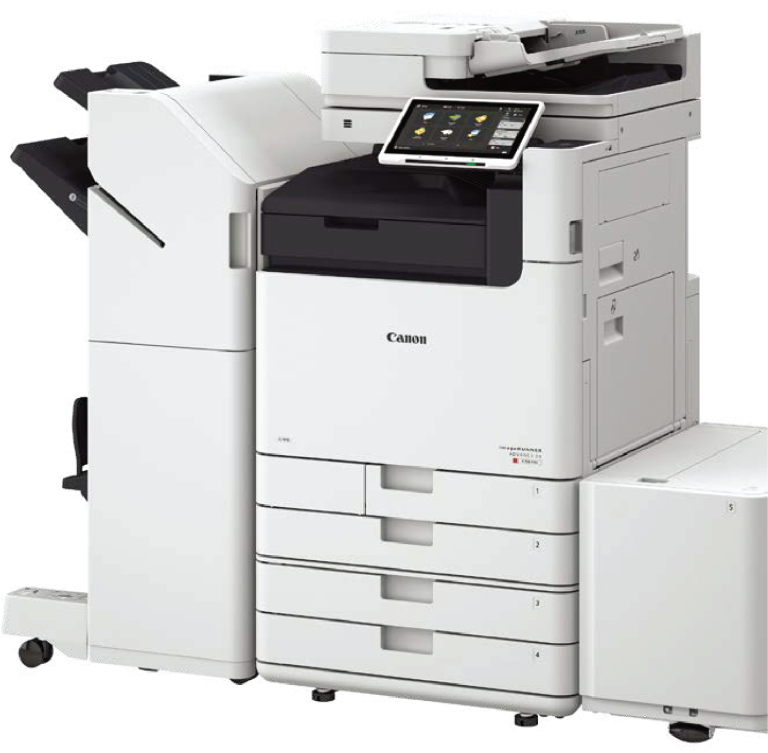
Canon imageRUNNER ADVANCE DX C5800i Series
User-friendly and efficient with low power consumption.
The Canon imageRUNNER ADVANCE DX C5800i series printer offers excellent usability and high productivity, aimed to support office digital needs. With outstanding performance, the device is an ideal interface to connect to various solutions best suited for the business.
- Machine Type: A3 Colour Laser Multifunctional
- Core Function: Print, Copy, Scan, Send, Store and Optional Fax
- Processor: Canon Dual Custom Processor (Shared)
- Control Panel: 10.1″ TFT LCD WSVGA Color Touch panel
RECOMMENDED
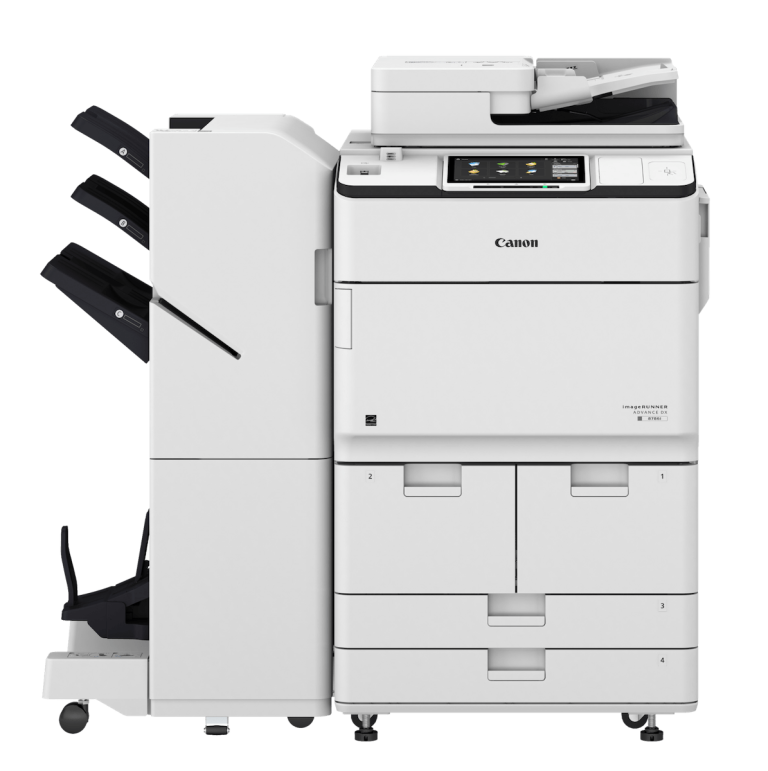
Canon imageRUNNER ADVANCE DX 8700 Series
Superior scan speed with reliable performance for high-volume printing
Designed for advanced functionality, high reliability and ease of operation. The Canon imageRUNNER ADVANCE DX 8700 series printer offers personalization and other intelligent features necessary to meet the needs of diverse environments as well as the workflow requirements of individual users.
- Machine Type: A3 Monochrome Laser Multifunctional
- Core Function: Print, Copy, Scan, Send, Store and Optional Fax
- Processor: 1.75GHz Dual Core Processor
- Control Panel: 10.1″ TFT LCD WSVGA Color Touch panel (Standard) / 10.4″ TFT LCD SVGA Color Upright Touch panel (Optional)
Boost Your Productivity with Our Other Canon Printer Machines
Discover our wide selection of Canon Printer Machines designed to meet all your business needs. From basic printing to advanced scanning and copying, we have a printer for every requirement. Trust us for reliable, efficient and high-quality Canon Printer Machines.
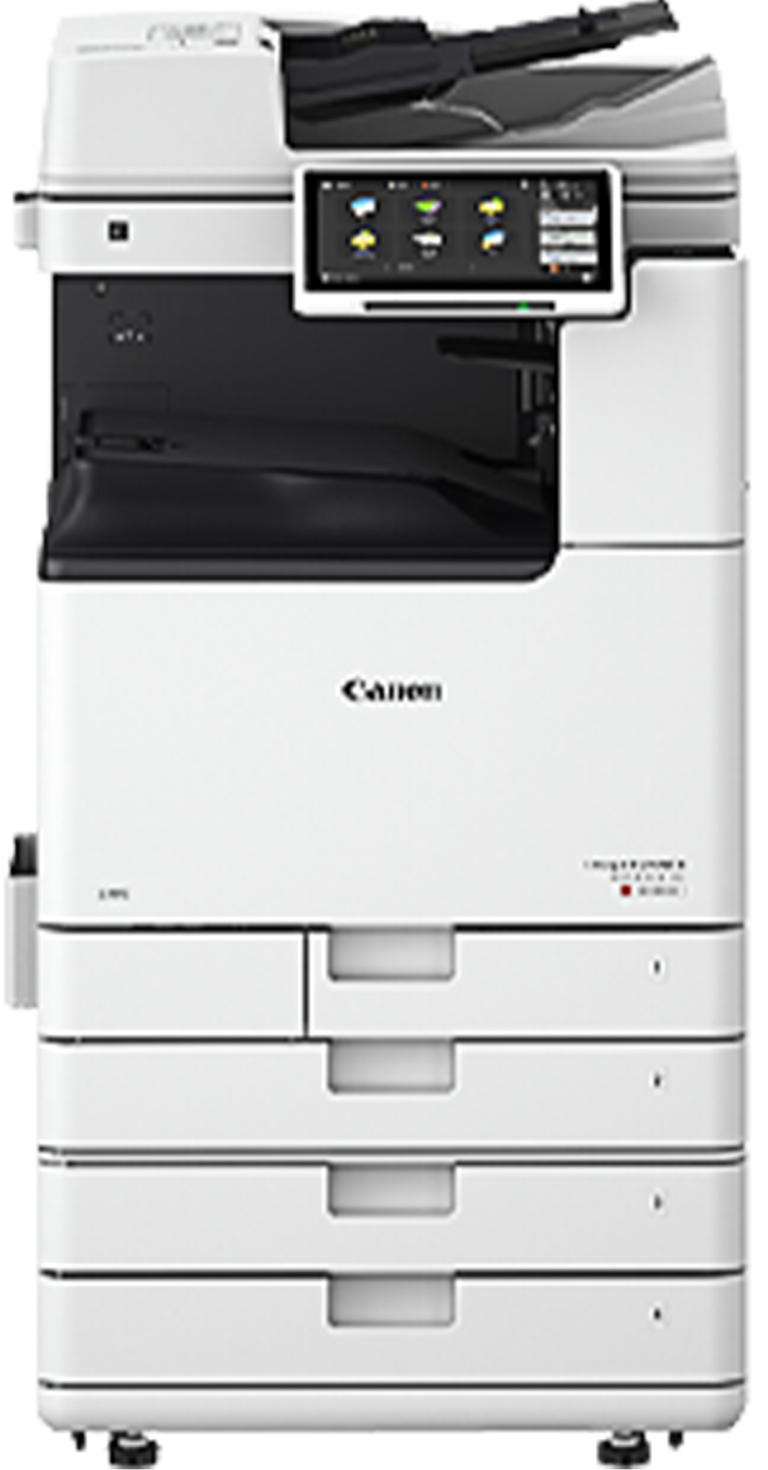
- Machine Type: Floor-standing Multifunction Printer
- Core Function: Print, Copy, Scan, Send, and Optional Fax
- Processor: Canon Dual Custom Processor (Shared)
- Control Panel: 7” WVGA Full-Color TFT Screen
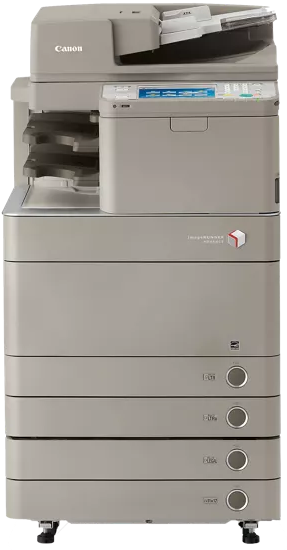
- Machine Type: Colour Laser Multifunctional (Reader/Printer separated)
- Core Function:Print, Copy, Scan, Send and Optional Fax
- Processor: 1.8 Ghz
- Control Panel: 21.3 cm (8.4 inches) TFT SVGA LED Backlight Colour Touchscreen

- Machine Type: Colour Laser Multifunctional
- Core Function: Print, Copy, Scan, Send, Store and Optional Fax
- Processor: Canon Dual Custom Processor (Shared) 1.75 GHz
- Control Panel: 25.6 cm (10.1 inches) TFT LCD WSVGA Colour Touch panel

- Suitable for CAD & poster printing
- 4-colour pigment ink
- Space-saving desktop model
- Support free poster & print submission applications
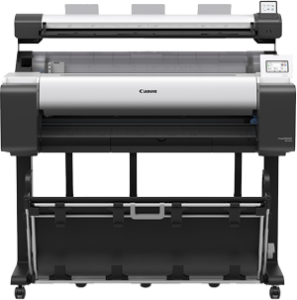
- Printer Type: 5-Colour 36″ (914 mm)
- Number of Nozzles: 15,360 nozzles
- Maximum Print Resolution: 2,400 x 1,200 dpi
- Nozzle Pitch: 1,200 dpi (2 lines)
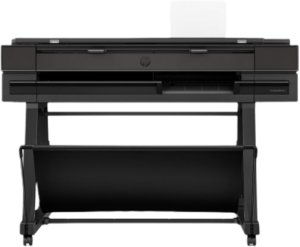
- Size: 914 mm (36″)
- Speed per hour: 90 A1/D prints
- A3/B input tray capacity: 50 sheets
- Sheet organizer: Available as accessory
- Sheet organizer + Stacker : Available as accessory
- Scanner: Yes

- Size: 914 mm (36″)
- Speed per hour: 120 A1/D prints
- A3/B input tray capacity: 100 sheets
- Sheet organizer: Yes
- Sheet organizer + Stacker : Yes
- Scanner: Yes


Risk-Free Trial: Start Your 30-Day Office Printer Rental Test Drive Today
Experience a risk-free trial with our 30-day test drive for your new photocopier. No commitment required. Try our office printer rental before you decide
We have built a Thriving Technical Support team that creates a competitive edge by executing critical operations processes quickly and efficiently. All Technical Support Engineers are well-trained and assessed by Canon before performing their tasks on-site. The services tasks are in compliance with SOP set by Canon.
We trust that a good customer service solution is crucial to customer satisfaction and retention. Our Sales Personnel are helpful and knowledgeable in handling and assisting the customers. Our responsibility is to know and understand our customer’s needs, such as recommending the most suitable, user-friendly, and easy-to-use printers.
We maintain good customer relationships, which is essential in customer services, especially After – Sales Services. We provide After–Sales Service as we value our customers. We trust that delighting repeat customers with a memorable after–sales service is just as important as obtaining new ones.
Contact Form
Unbeatable Performance and Quality: Why Choose Canon Printers?
Whatever your business needs, let Canon’s business printers print and work smart for you.
Good Photo Printing Quality
Most Canon printers have good photo printing quality, even budget options.
Higher Colour Page Yield
While most printers from other brands yield more black pages than color pages, Canon's printers tend to have a higher color page yield.
Durable and Reliable
Canon printers and copiers are built to last and are known for their durability and reliability. This is important in business settings where downtime can be costly.
User-Friendly
Canon printers and copiers are user-friendly and easy to operate.
Many Affordable Options
Canon tends to have more budget options than other brands.
Versatile
Canon printers and copiers are versatile and can handle a variety of paper sizes and types.
FAQs About Large Format Printers & Photocopiers
Our FAQ covers common queries about our products and services, from the types of printers we offer to after-sales support and warranty periods. Find answers to your questions and make informed decisions for your business needs.
Which printer and copier models do you support?
We support a wide range of large format printers and multifunction copiers across HP, Canon, and Konica Minolta. The supported models are listed below by series.
HP DesignJet Series (Large Format Printers / Plotters)
• HP DesignJet T850
• HP DesignJet T950
• HP DesignJet T1600
• HP DesignJet T2600
• HP DesignJet Z6
• HP T850
• HP T950
• HP T1600
• HP T2600 Plotter
• DesignJet T1600
• DesignJet Z6
• HP Z6 Printer
Canon imagePROGRAF TM Series (Technical / CAD Printers)
• Canon imagePROGRAF TM-5250
• Canon imagePROGRAF TM-5340
• Canon imagePROGRAF TM-5350
• Canon imagePROGRAF TM-5355
• Canon TM-5250
• Canon TM-5340
• Canon TM-5350
• Canon TM-5355
Canon imagePROGRAF TX Series (Production / High-Speed CAD Printers)
• Canon imagePROGRAF TX-5310
• Canon imagePROGRAF TX-5410
• Canon TX-5310
• Canon TX-5410
• Canon TX5310
Canon imagePROGRAF TC Series (Compact / Entry-Level Printers)
• Canon imagePROGRAF TC-20
• Canon imagePROGRAF TC-21
• Canon TC20
• Canon TC21
• imagePROGRAF TC 20
• imagePROGRAF TC 21
Canon imagePROGRAF GP Series (Graphics / Poster Printers)
• Canon imagePROGRAF GP-5300
• Canon GP-5300
Konica Minolta bizhub i-Series (Multifunction Copiers)
• bizhub 651i
• bizhub 551i
• bizhub 451i
• bizhub 301i
• bizhub 361i
• bizhub 4051i
• bizhub C451i
• bizhub C551i
• bizhub C651i
• bizhub C361i
• bizhub C301i
• bizhub C251i
• bizhub C287i
• bizhub C227i
• bizhub C226i
Can you recommend a suitable printer or copier model from your product range?
Absolutely. We don't believe in a "one-size-fits-all" solution. Our recommendations are built around your specific operational needs—considering everything from monthly print volumes and paper sizes (A4/A3/Large Format) to the specific nature of your output, whether it's high-precision CAD work or high-speed office scanning.
- For Architectural & Technical Plotting: We highly recommend the HP DesignJet Series (including the HP DesignJet T850, T950, T1600, T2600, and Z6) or the Canon imagePROGRAF TM Series (such as the TM-5250, TM-5340, TM-5350, and TM-5355).
- For High-Volume Production: The Canon imagePROGRAF TX Series (models like TX-5310 and TX-5410) is built for speed.
- For Small Studios: The compact Canon imagePROGRAF TC Series (TC-20, TC-21) fits perfectly in tight spaces.
- For General Office Hubs: The Konica Minolta bizhub i-Series (ranging from the bizhub C226i, C251i, to the high-speed C651i) offers the best multifunction capabilities.
What is the difference between the printer series you offer (HP DesignJet, Canon imagePROGRAF, and Konica Minolta bizhub)?
While all are professional-grade, each series is "personality-matched" to a different work environment:
- HP DesignJet: Think of these as the industry standard for precision. Models like the HP T850, T950, T1600, T2600 Plotter, and DesignJet Z6 are optimized for the fine lines required in engineering plans and GIS mapping.
- Canon imagePROGRAF: This is our most diverse range. It splits into the TM Series for general CAD, the TX Series for high-speed production (TX-5310, TX-5410), the TC Series for entry-level desktop use (TC20, TC21), and the GP Series (GP-5300) which uses specialized inks for vivid posters and graphics.
- Konica Minolta bizhub: These are not plotters, but central "all-in-one" office engines. The bizhub i-Series (including bizhub 301i, 361i, 451i, C301i, C361i, and C451i) focuses on document-heavy workflows, offering seamless scanning, copying, and A3/A4 printing for administrative teams.
How do I choose the right model from your product range?
The easiest way to decide is to identify your primary "Output Goal." Here is a quick guide:
- "I need to print blueprints and technical plans": Go with the HP DesignJet T1600, T2600, or Z6 Printer. Alternatively, the Canon TM-5250, TM-5340, TM-5350, or TM-5355 provides exceptional line clarity for AEC professionals.
- "I have limited space but need large format": The Canon imagePROGRAF TC-20, TC-21, or imagePROGRAF TC 21 are the most space-efficient models in our catalog.
- "I need to run an entire office's paperwork": You require a multifunction copier like the Konica Minolta bizhub i-Series. For standard color needs, the bizhub C227i, C251i, or C287i are popular, while the bizhub 551i or 651i are built for heavy-duty monochrome tasks.
- "I need high-impact marketing posters": The Canon imagePROGRAF GP-5300 (and GP-5300) is specifically designed for high color accuracy and graphic production.
Final selection should always align with your monthly volume and the speed your team requires to stay productive.
Can you explain the technology behind your HP, Canon, and Konica Minolta ranges?
While they all produce ink on paper, the engineering "philosophy" differs between our brands:
- The HP Ecosystem: Known for its user-friendly interface and security, the HP DesignJet Z6, HP Z6 Printer, and the T-Series (T850, T950, T1600, T2600) are built for "plug-and-play" efficiency in technical environments.
- The Canon imagePROGRAF Ecosystem: Canon focuses on ink versatility. The TM Series (TM-5250 to TM-5355) uses pigment inks for water-resistant plans. The TX Series (TX-5310, TX-5410) utilizes high-capacity tanks for production. The TC Series (TC20, TC21) focuses on desktop accessibility, while the GP Series features fluorescent pink ink for unmatched graphic pop.
- The Konica Minolta i-Series Ecosystem: This is an "intelligent" platform. Devices like the bizhub 301i, 361i, 451i, 551i, and 651i (Monochrome) or the C226i, C227i, C287i, C451i, C551i, and C651i (Color) act like tablets, allowing you to customize your workflow with apps and advanced cloud connectivity.
What should I check before finalizing my hardware choice?
To ensure you invest in a model that scales with your business, consider these four factors against our lineup:
- Print Width: Do you need a 24-inch or 36-inch output? This leads you to either the Canon TM-5250 or the HP DesignJet T1600.
- Multifunctionality: Do you need to scan old blueprints back into digital files? Look at the HP DesignJet T2600 or the Canon imagePROGRAF TM-5355, which feature integrated scanners.
- Color vs. Black & White: If you only need office documents, the monochrome bizhub 301i, 361i, or 4051i are cost-effective. If you need full-color graphics, look at the bizhub C251i, C301i, or C361i.
- Workflow Speed: For rapid-fire office use, the bizhub C651i or 651i are top-tier. For high-speed large format, the Canon TX-5310 and TX-5410 are the production leaders.
Why rent a photocopier?
Renting a photocopier can be a cost-effective solution for businesses that need high-quality copying, printing, and scanning capabilities without committing to a long-term investment. It provides flexibility and scalability to accommodate changing business needs.
What is a multifunction printer and how does it benefit my business?
A multifunction printer (MFP), also known as an all-in-one printer, is a device that combines several functionalities into a single unit. Typically, it combines printing, scanning, copying, and faxing capabilities, allowing you to perform multiple tasks using a single machine.
How does a photocopier machine rental work?
Photocopier machine rental involves selecting a copier from a rental provider, signing an agreement with terms and monthly fees, receiving delivery and setup, using the copier as needed, receiving maintenance and support from the provider, and returning or renewing the rental at the end of the agreed-upon period.
What are the advantages of renting a heavy-duty printer for office use?
Renting a heavy-duty printer for office use offers advantages such as cost savings, flexibility, access to advanced features, hassle-free maintenance, up-to-date technology, scalability, risk reduction, and dedicated support.
Can I upgrade my rental plan based on changing business needs?
Yes, you can certainly upgrade your rental plan based on changing business needs. We understand that your requirements may evolve over time, and we are flexible in accommodating those changes. Please contact our team to discuss your upgraded needs, and we will work with you to adjust your rental plan accordingly.
Do you provide training on using A1 and A3 printers?
Yes, we offer training and onboarding for all rented and purchased printers, including the HP DesignJet T850, T950, Canon imagePROGRAF TC-20 and more, ensuring that you and your team can operate the equipment efficiently.
What large-format printer models can I purchase from your company?
We supply a full range of HP and Canon large-format printers, including models such as HP DesignJet Z6, HP DesignJet T1600, HP T1600, HP DesignJet T2600 and HP T2600. For Canon users, we carry ImagePROGRAF TC-20, Canon TC20, ImagePROGRAF TC-21, TM-5250, TM-5340, TM-5350, TM-5355, TX-5310, TX-5410, Canon GP 5300 and other professional printing solutions. These models are available for purchase, support and maintenance through our team.
How quickly can I get a rented photocopier machine installed and operational in my office?
The installation and setup time for a rented photocopier machine can vary. It is advisable to contact the rental provider at least two weeks in advance to ensure timely installation in your office.
What happens if the rented photocopier machine requires repairs or maintenance?
If the rented photocopier machine requires repairs or maintenance, rest assured that our company covers all maintenance and provides necessary spare parts free of charge as long as the machine is within the contract period and the issue is not due to human error or defect. Our goal is to ensure smooth operation and minimize disruptions to your workflow. Simply contact our support team, and we will promptly address any maintenance or repair needs.
What is the difference between a photocopier and a printer?
Photocopiers are for copying documents, while printers are for printing digital documents. Photocopiers have more advanced copying features, while printers have more advanced printing features.
How long should a photocopier last?
The lifespan of a photocopier can vary depending on the brand, model, usage, and maintenance. However, a good quality photocopier can last 5 to 10 years with proper care and maintenance.
When should I replace my photocopier?
Replace a photocopier when it has frequent breakdowns, high maintenance costs, reduced print quality, no longer meets your business needs, or when a more advanced model is available.
Can I leave my photocopier plugged in all the time?
It is generally safe to leave a photocopier plugged in all the time, as they are designed to operate continuously. However, it is recommended to turn it off when it is not in use to save energy and reduce wear and tear on the machine.
Do you offer combined packages for copier leasing, printer leasing and photostat rental?
Yes, we provide a full range of printing solutions including A3 printer, A1 printer and A0 printer models for businesses that need reliable large-format output. We also offer flexible copier leasing and printer leasing plans, along with photostat rental for short-term or long-term use. For technical industries, we supply plan printing printer options suitable for architectural, engineering and construction drawings. All machines come with support, maintenance and optional training to ensure smooth daily operation.
Contact Us
Sales & Servicing of Multi-function Printer,
Large Format Printer
ATP Sales & Services (KL) Sdn. Bhd. (1455325-A)
- 40, Jalan 30a/119, Taman Taynton View, 56000 Kuala Lumpur, Malaysia.
ATP Sales & Services Sdn. Bhd. (1275709-U)
- 142A, Jalan Layang 16, Taman Perling, 81200 Johor Bahru, Johor, Malaysia.
- +6018-786 4855
- perling@atgroup.com.my
Plan Printing Services
A. T. Plan Copy Centre & Stationery (JM0257551-M)
- 142, Jalan Layang 16, Taman Perling, 81200 Johor Bahru, Johor, Malaysia.
- +607-241 5524 | +6017-622 5524
- at.technical@yahoo.com | atplanperling@gmail.com
AT Plan & Printing Pte Ltd (201528637K)
- 633 Bukit Batok Central #01-130B, Singapore 6506330.
- +65-9388 9720
- sales@atprinting.com.sg